
USB Sockets and Home Automation: A Practical Guide
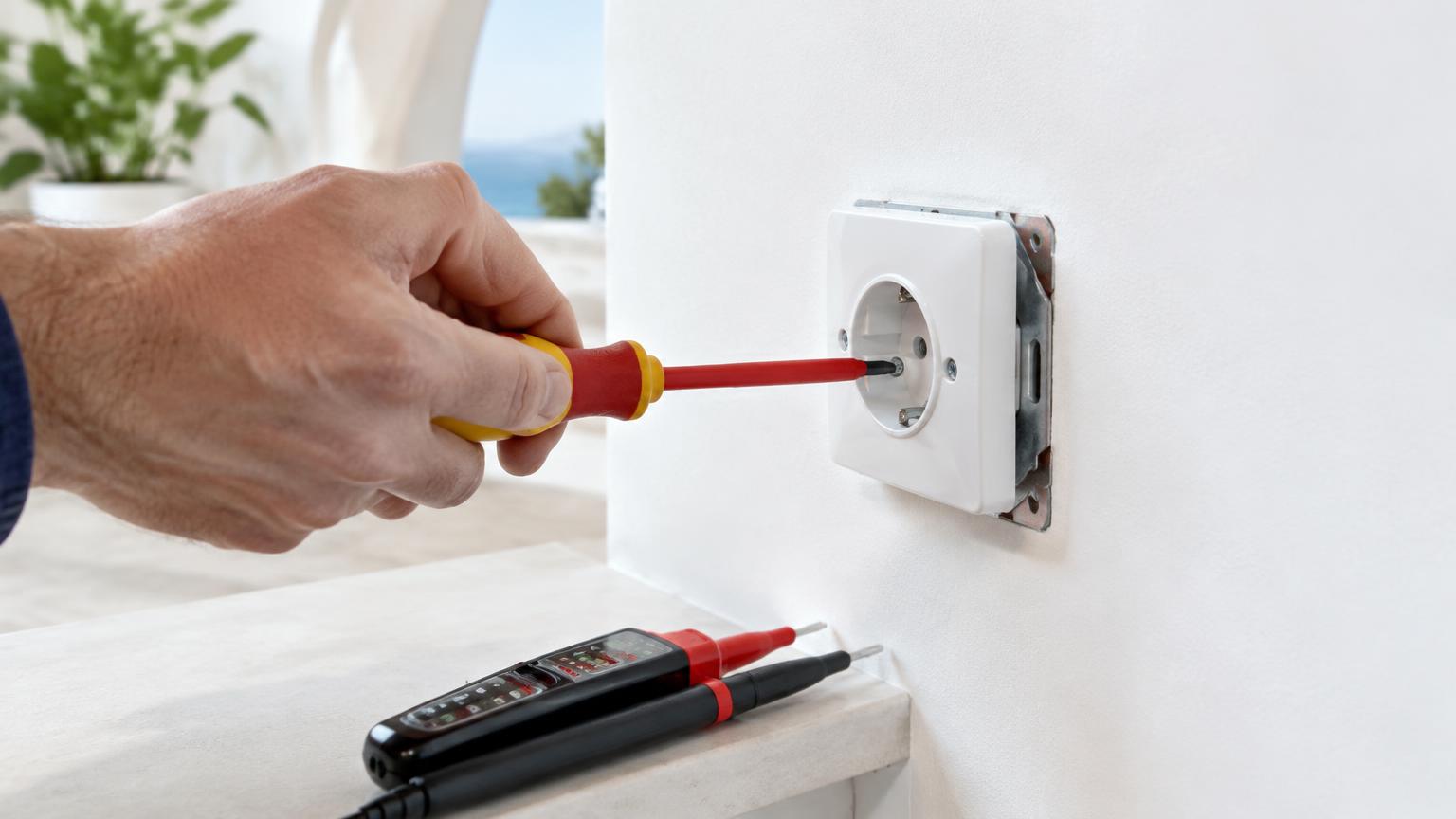
Adding USB sockets and home automation can make charging, lighting and everyday routines more convenient without a full renovation. Plug-in smart sockets and connected bulbs are usually the easiest starting point. Replacing wall sockets or light switches needs a closer look at the existing electrical installation.
For a Costa del Sol home, choose equipment that suits the property's wiring, internet connection and occupants—not simply the device with the longest feature list. This guide explains what to buy, what to check, indicative costs and when to involve an authorised electrician in Spain.
Start with a useful upgrade, not a whole-house system
Four common products offer quite different benefits:
- Sockets with built-in USB: provide charging ports alongside a conventional mains outlet. USB charging does not make the socket smart.
- Plug-in smart sockets: switch a compatible appliance on or off and may offer schedules or energy monitoring.
- Smart wall switches: control a lighting circuit, with options for manual operation, remote access and automation.
- Connected bulbs: add controllable lighting without changing fixed wiring, provided the fitting is suitable.
Choose one problem to solve first: bedside charging, a scheduled living-room lamp or switching off non-essential desk equipment. This makes compatibility easier to test and avoids paying for features you never use.
Keep everyday controls straightforward. Family members and guests should be able to turn on essential lighting without borrowing your phone. For a holiday home, clear manual controls are often more valuable than elaborate routines.
Remember that a connected bulb generally needs its wall switch left on to remain available remotely. Decide whether that arrangement will work for everyone using the room.
Choosing USB sockets that charge what you actually use
Look beyond the number of ports. USB-C describes the connector; it does not automatically mean fast charging. To use USB Power Delivery, the socket, cable and device must support the relevant charging requirements. A laptop may need considerably more power than a phone.
Check the product information for:
- Maximum output from each port and the total shared output.
- Charging compatibility with your usual devices.
- Mechanism depth and the space required in the wall box.
- Compatibility with the existing faceplate and accessory range.
- Clear instructions, CE marking and an identifiable manufacturer or importer.
CE marking is not a substitute for checking product suitability and traceability. Buy from a retailer with clear product information and returns arrangements.
A frequent mistake is assuming both USB ports can deliver the advertised maximum simultaneously. Another is buying a deep mechanism for a shallow wall box. Wiring must not be squeezed into insufficient space.
Choose mains accessories suitable for the Spanish installation rather than importing UK wall sockets for convenience. If charging standards are your main concern, a replaceable external charger may be a better long-term choice than built-in electronics.
Check wiring, wireless coverage and platform compatibility
Before ordering a smart wall switch, ask an electrician to check for a neutral conductor at the switch position, adequate box depth and suitable wiring. In many properties, the neutral is present at the light fitting but not at the switch. Wire colour alone is not a safe way to establish a conductor's function.
Some switches work without a neutral, but may require a minimum lighting load or a specified accessory at the fitting. An unsuitable combination can cause flickering or unreliable operation. Lights controlled from several locations also need a compatible switching arrangement.
For connectivity, understand the main differences:
- Wi-Fi: generally connects through your router; many products require 2.4 GHz.
- Zigbee: normally needs a compatible coordinator or bridge.
- Thread: needs a compatible border router for the intended connected setup.
- Matter: supports interoperability, but does not make every feature available through every app.
Check whether an additional controller is required and what works without internet access. Local operation and access from abroad are different capabilities.
Test wireless coverage where the device will actually sit. Thick walls, separate floors and distant terraces can make a connection unreliable even when reception near the router is excellent.
Electrical safety and preparing for installation
Setting up a plug-in smart socket in a sound outlet is very different from replacing an accessory connected to fixed wiring. Treat the latter as electrical work, not simply a decorating task.
Useful preparation includes product data sheets, external photographs, wall-box measurements taken safely and a list of the points you want to upgrade. An electrician will use suitable insulated tools, an appropriate voltage tester—preferably a two-pole type—and the correct connection and fixing materials.
- List the locations and functions required before buying equipment.
- Confirm dimensions, electrical ratings and compatibility.
- Before opening or handling a wired accessory, isolate the supply at the consumer unit and verify that it is dead using a suitable voltage detector. Switching off at the wall is not enough; do not rely solely on a non-contact detector.
- Prevent anyone from restoring power while work is in progress.
- Use an electrician if you are not trained to isolate, verify and work safely.
In Spain, new electrical installations and extensions require an authorised installer and the relevant electrical installation certificate, commonly called a boletín or CIE, under the REBT framework. For other alterations, the installer should confirm the documentation required for the scope of work.
Burning smells, sparking, unusual heat or repeated protective-device trips need investigation. A new faceplate does not fix an underlying fault.
Three simple routines worth trying first
A small, reliable setup is usually more useful than a complicated collection of devices. Start with one of these practical upgrades:
- A scheduled living-room lamp. Use a compatible smart bulb or plug-in socket. Set an on/off schedule, test manual control and check how it behaves after a power cut.
- Convenient bedside charging. Consider built-in USB when replacing accessories anyway. Otherwise, try a suitable external charger and tidy cable positioning before changing the installation.
- A leaving-home routine. Group lights and non-essential equipment for a single off command. Exclude fridges, medical equipment, alarms and anything that must remain powered.
Do not use remote switching for heaters, irons or other potentially hazardous appliances unless the manufacturer explicitly permits the intended use. A smart socket does not make an appliance safe to leave unattended. Likewise, cutting the mains supply is not automatically an appropriate way to control air conditioning; choose a compatible control interface.
Use unique account passwords, enable two-factor authentication where available and keep software updated. Leave simple operating instructions for other occupants.
Trial one device for several days before buying more. Include a check of what happens when internet access is unavailable, particularly if you plan to manage a second home from the UK.
Indicative prices and avoidable extra costs
For initial budgeting, typical indicative ranges in euros include:
- Wall socket mechanism with integrated USB: €20–€80 each.
- Plug-in smart socket: €15–€50 each.
- Smart wall switch: €25–€90 each.
- Home automation bridge or controller: €35–€150.
- Straightforward professional accessory replacement, labour only: €35–€90 per point, subject to minimum service charges.
- A small installation with several points and basic configuration: €150–€500, depending on the equipment and work included.
Costs vary with product quality, the condition of the installation and location. Enlarging wall boxes, providing a neutral, making good plasterwork or correcting faults will affect the quotation. Ask whether VAT, travel, materials and configuration are included. These ranges are alternative budgeting references, not items to add together automatically.
Common avoidable expenses include incompatible faceplates, unnecessary bridges and buying products that require several separate apps. Check whether remote access involves an ongoing subscription before committing.
Energy savings are not guaranteed. They depend on the loads you control and the consumption you actually avoid. Treat convenience and useful control as the main benefits unless you have a clear, measurable energy-saving use case.
When to call a professional on the Costa del Sol
Arrange an electrical assessment if the wiring is old, required protective connections are missing, the intended switch has no neutral or wall boxes are overcrowded. Professional input is also important when adding outlets, altering circuits or working in bathrooms, outside areas and damp locations.
On the Costa del Sol, exposed terraces can face strong sun, moisture and salt-laden air. Equipment needs a suitable location and environmental protection; a product intended for a dry indoor room is not an outdoor solution.
To obtain comparable quotations, provide external photographs, a list of points, the functions you want and details of any existing smart-home system. Ask for safety checks, equipment, installation, setup and applicable certification to be clearly itemised.
Never attempt DIY work on gas installations or adapt their controls yourself. Such work belongs with an appropriately authorised professional.
If your property is on the Costa del Sol, ReformaClick can help you find renovation companies and request a no-obligation quote. Explain the result you want before purchasing all the equipment: that leaves room for a safer, simpler solution.
Frequently asked questions
Can any wall socket be replaced with a USB socket?
Not necessarily. The wall-box dimensions, wiring, condition of the installation and accessory compatibility must be checked. Keeping the existing socket and using a suitable external charger may be more practical.
Will a smart light switch work without a neutral?
Some models will, but they have specific lamp-compatibility and load requirements. An additional accessory may be necessary. Have an electrician confirm the complete arrangement before installation.
Does home automation work when the internet is down?
It depends on the system. Manual controls and some local routines may continue if power and the necessary local network remain available. Cloud-based functions and access from outside the property may stop working.
Do USB wall sockets use electricity when nothing is charging?
Their electronics may draw a small standby current, depending on the model. Check the technical information. Smart sockets also use some electricity to maintain their communications and control functions.
Do I need a boletín for smart-home upgrades in Spain?
Plugging devices into existing sockets is not an extension of the electrical installation. New installations and extensions require an authorised installer and the relevant boletín under the REBT. For alterations to fixed wiring, ask the installer which documentation applies.
Would you rather hire a professional?
Tell us about your project and we will connect you with renovation companies on the Costa del Sol. No obligation.
Get a quote